

Automatic Discovery
All supported devices are discovered automatically except Components. Components need additional user configuration found here in the Components section. Detected supported devices automatically show the selected lighting effect. You can view a list of all your supported devices connected to your system by clicking on the Devices page under System.
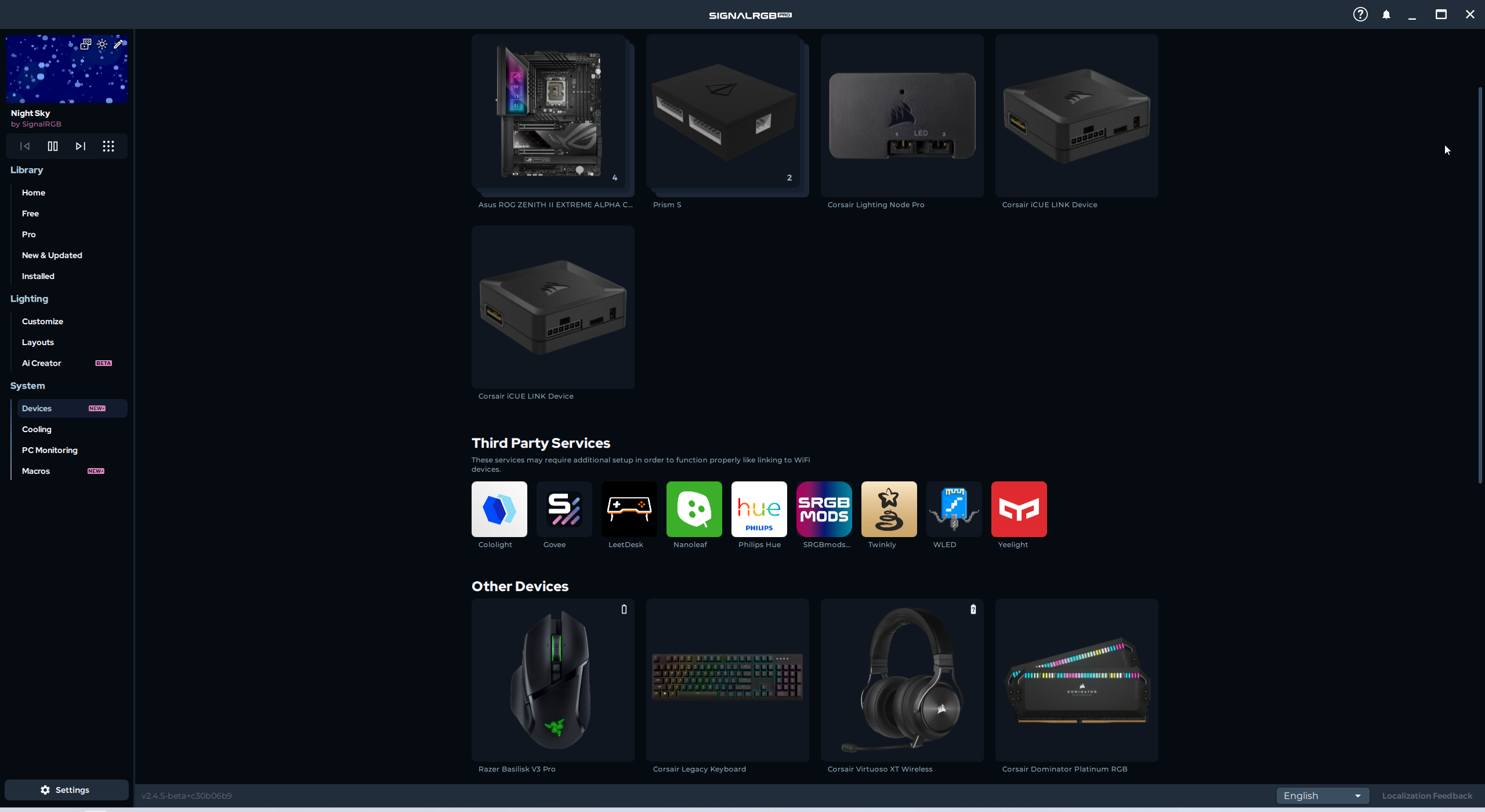
There are three main types of devices that SignalRGB supports:
USB devices, SMBus devices, and Components.
USB Devices
Section titled “USB Devices”USB devices include any device which communicates RGB data using the USB protocol. This includes all keyboards, mice, and other peripherals. Some internal devices, like RGB controllers, liquid coolers, and select motherboards also use USB control. All supported USB devices will be automatically detected by SignalRGB and listed in the Devices page.
SMBus Devices
Section titled “SMBus Devices”SMBus devices are only found inside your computer. They include things like RGB lighting on graphics cards, memory modules, and motherboards. All supported SMBus devices will be automatically detected by SignalRGB and listed in the Devices page.
Components
Section titled “Components”Components are any devices that do not have a built-in lighting controller. This category includes all devices which connect to an RGB controller or a motherboard header. Examples of components are RGB strips, fans, water blocks, CPU coolers, case lighting, etc… These devices must be connected to a supported controller or motherboard in order to work, and require additional user configuration.