

Framework 16 Keyboard and Macropad
Instructions for flashing Framework 16 Keyboard and RGB Macropad with SignalRGB Compatible Firmware:
You are responsible if you brick your keyboard!
Note: This will override any custom keymaps you have made!
-
Download Firmware from here.
-
Place the device into bootloader mode:
- For the Keyboard hold down the Left Alt and Right Alt Keys while installing the module.
- For the Macropad hold down the 2 and 6 keys while installing the module.
-
Navigate to the newly connected drive named RPI-RP2.
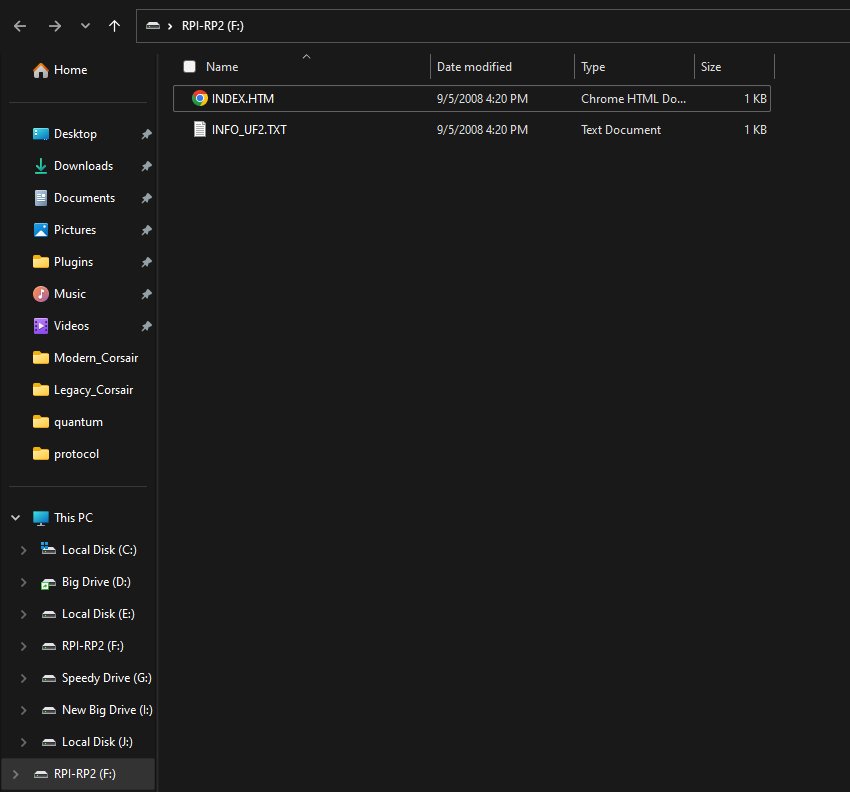
- Take the firmware file for your device and drag it into the RPI-RP2 drive.
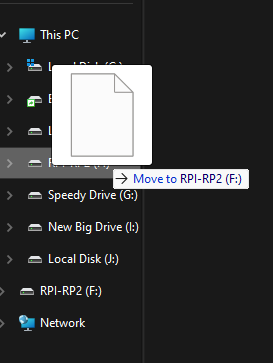
- The device should reboot and will now be compatible with SignalRGB.
Note: You may need to close and reopen SignalRGB for the device to show up in app