

Blocked Internal Drivers

Follow these steps to troubleshoot Blocked Internal Drivers.
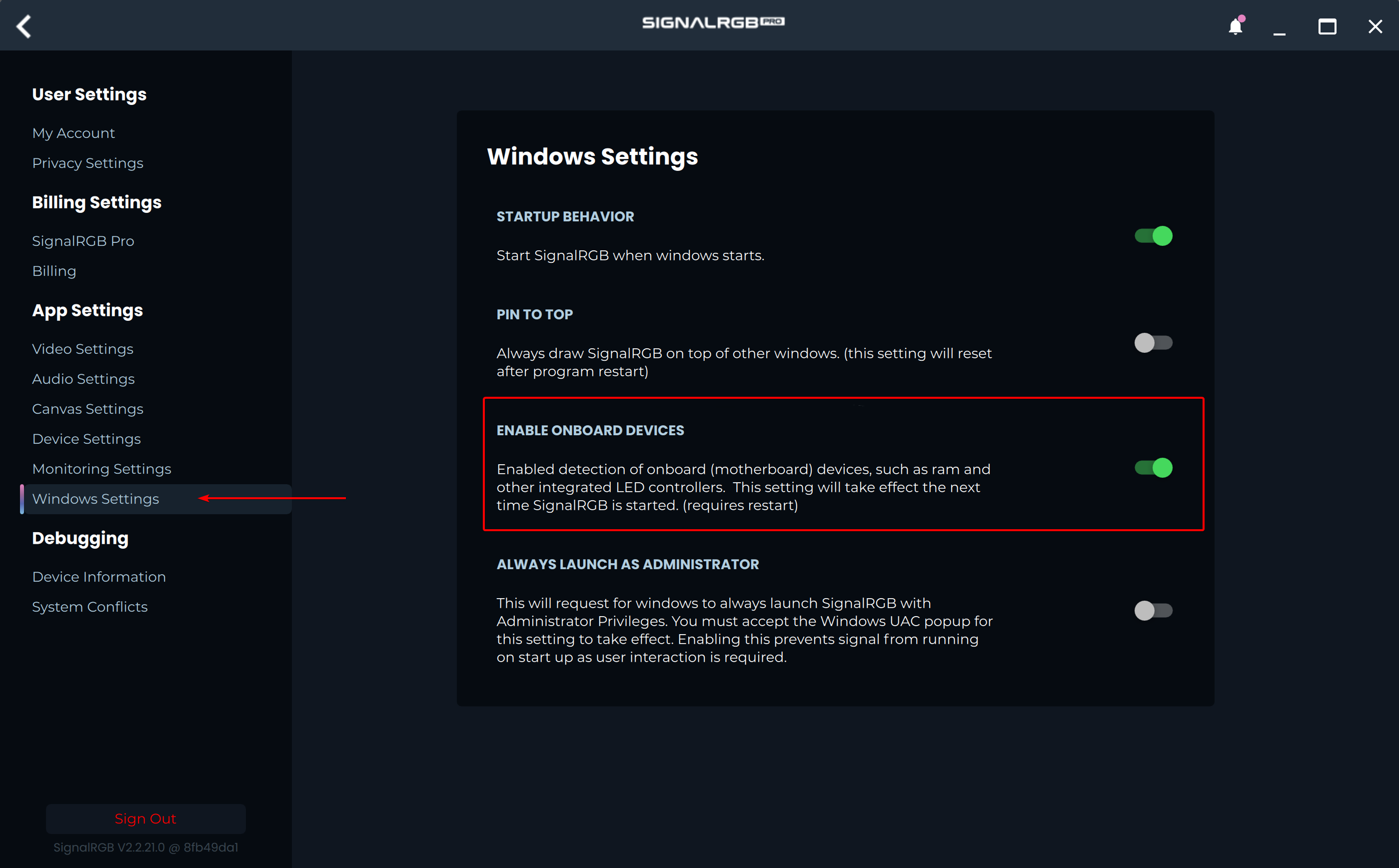
- In SignalRGB, click on the Settings icon, choose the Windows Settings page, and ensure “Enable Onboard Devices” is turned on.
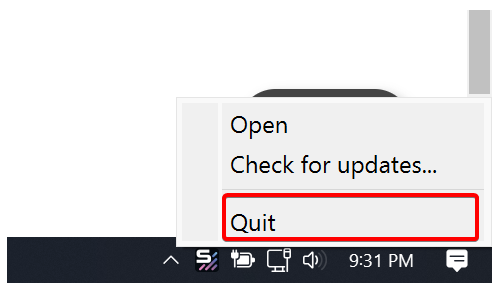
- Exit SignalRGB by right-clicking the tray icon and choosing Quit.
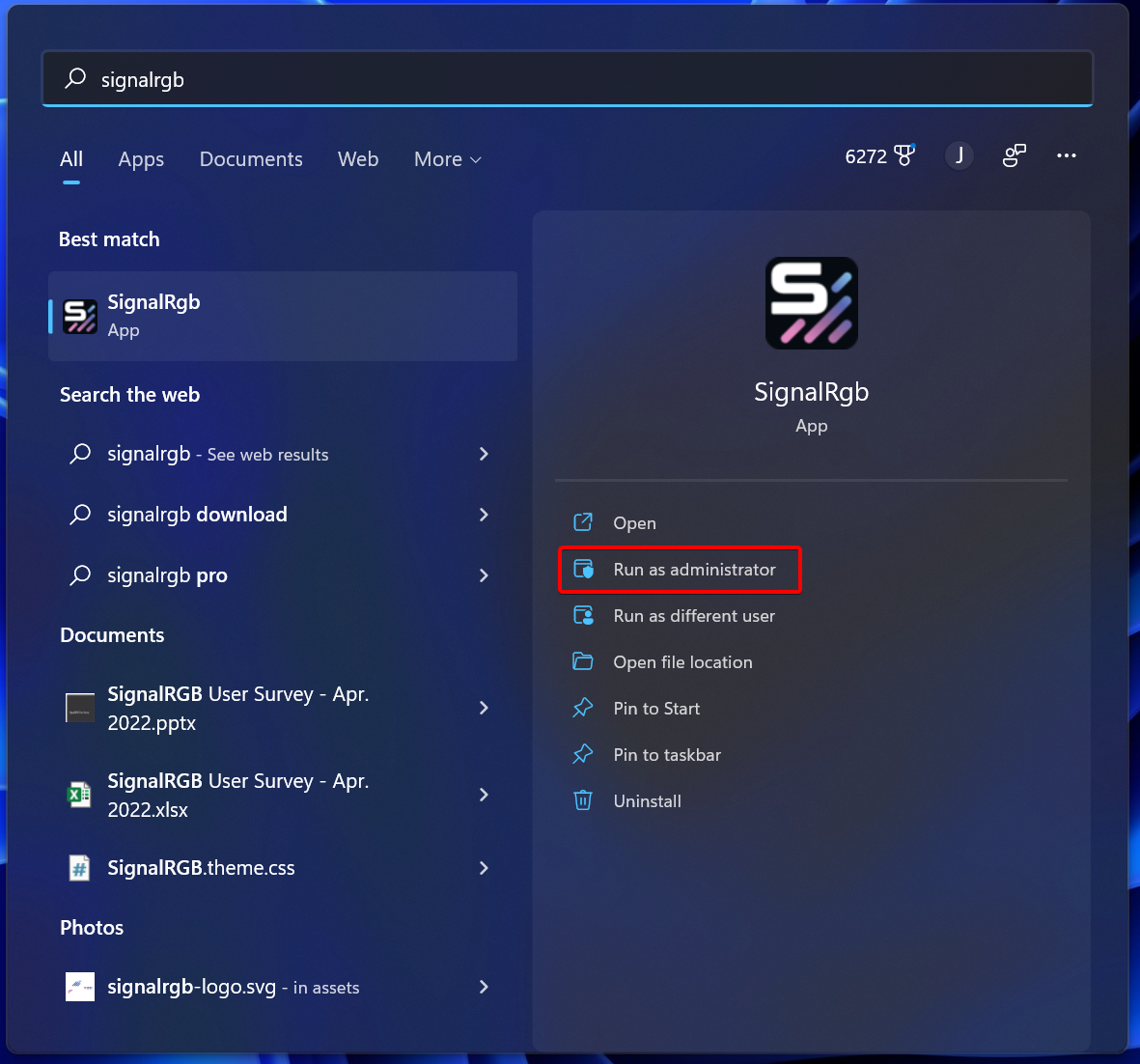
- Search for SignalRGB in the start menu, then right click on the app and choose Run as Administrator.
If your onboard devices are still not working, please try the following:
- Ensure your BIOS and Chipset Drivers are up to date by checking your motherboard manufacturer’s website. This process varies from motherboard brand to motherboard brand.
- Perform a Full Power Cycle on your computer