Fast Boot issues
By default Windows 8 (and above) has a feature known as Fast Boot enabled, this can be rather problematic when dealing with RGB devices (at least for the initial setup).
Disabling Fast Boot
Section titled “Disabling Fast Boot”To disable fast boot, create a new file named Disable-fastboot.bat and paste the following code into it:
@echo offecho Enabling Fast Boot Feature for Full Restart / Shutdownif _%1_==_payload_  goto :payload
:getadminecho UAC Prompt must be accepted...set vbs=%temp%\getadmin.vbsecho Set UAC = CreateObject^("Shell.Application"^)                >> "%vbs%"echo UAC.ShellExecute "%~s0", "payload %~sdp0 %*", "", "runas", 1 >> "%vbs%""%temp%\getadmin.vbs"del "%temp%\getadmin.vbs"goto :eof
:payloadpowercfg /hibernate ongoto :eof
:eof
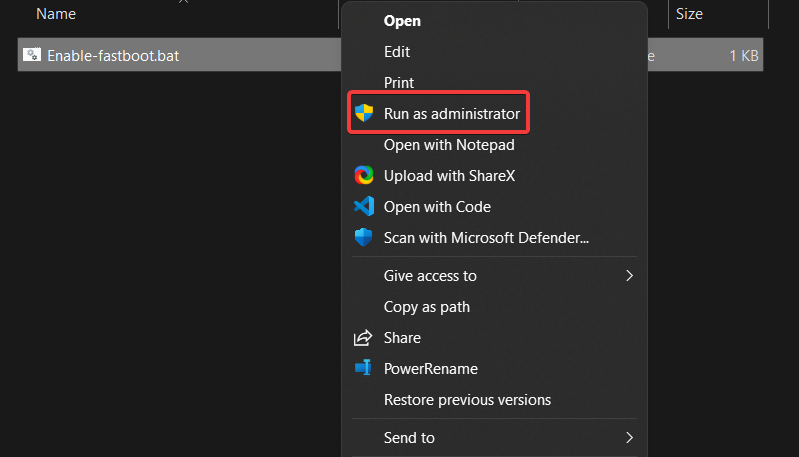
Right click on the file, and click Run as Administrator. Fast boot should now be disabled.
Enabling Fast Boot
Section titled “Enabling Fast Boot”If you’d like to re-enable fast boot, create another file named Enable-fastboot.bat and paste this code into it:
@echo offecho Disabling Fast Boot Feature for Full Restart / Shutdownif _%1_==_payload_  goto :payload
:getadminecho UAC Prompt must be accepted...set vbs=%temp%\getadmin.vbsecho Set UAC = CreateObject^("Shell.Application"^)                >> "%vbs%"echo UAC.ShellExecute "%~s0", "payload %~sdp0 %*", "", "runas", 1 >> "%vbs%""%temp%\getadmin.vbs"del "%temp%\getadmin.vbs"goto :eof
:payloadpowercfg /hibernate offgoto :eof
:eof
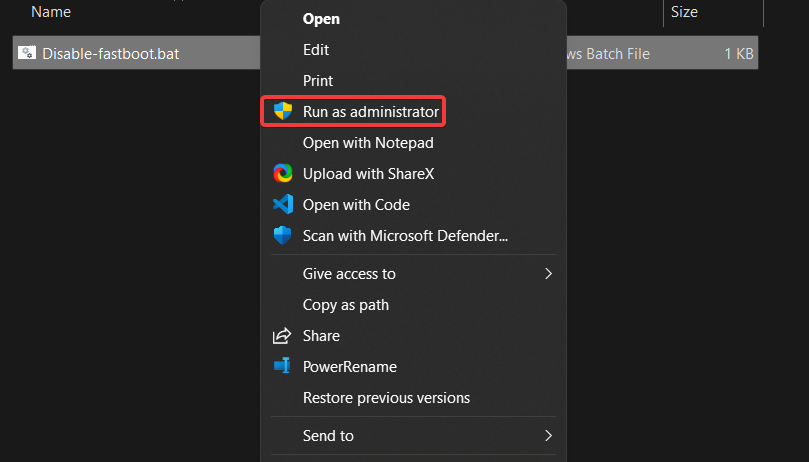
Right click on the file, and click Run as Administrator. Fast boot should now be enabled again.